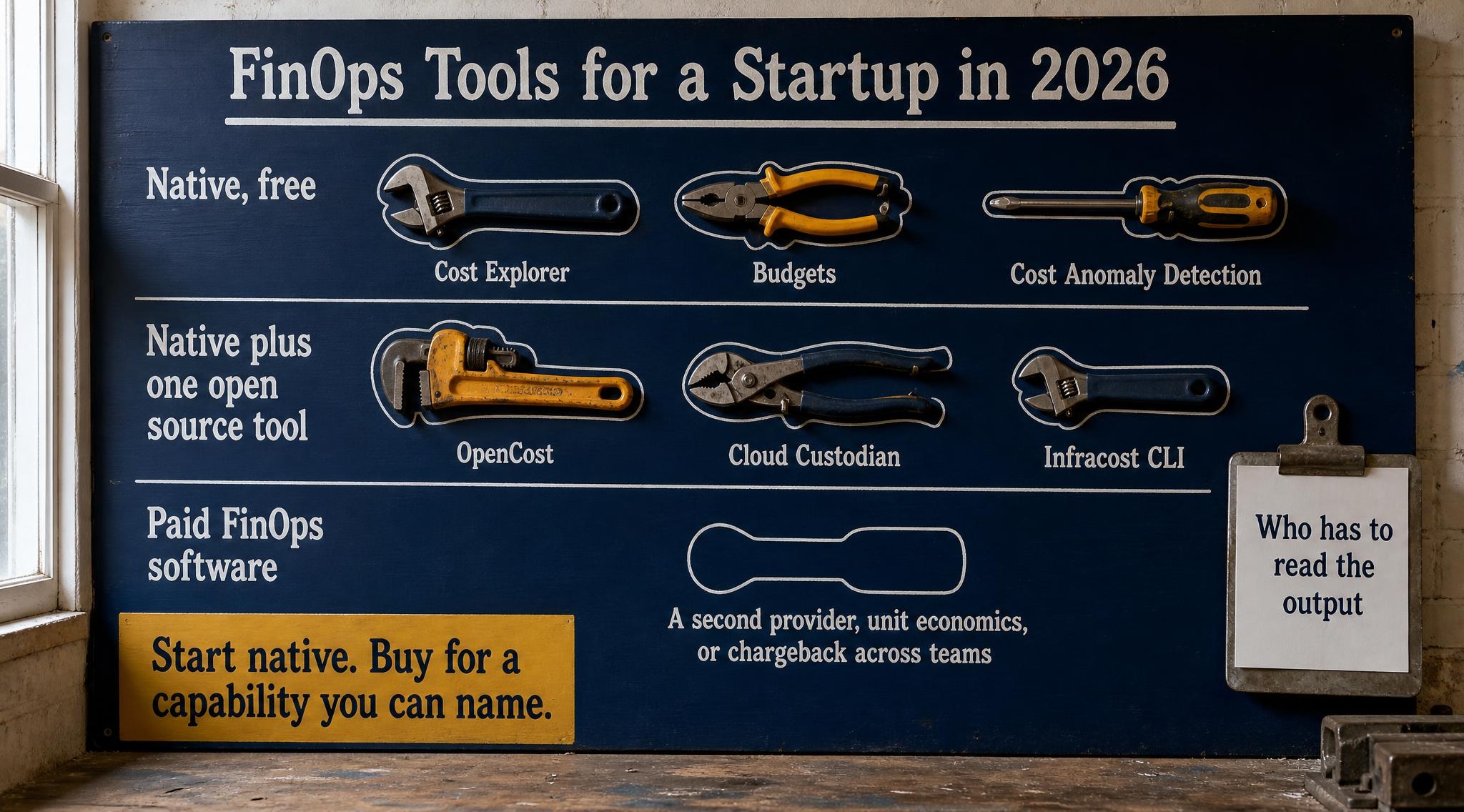
Which FinOps tools does a startup actually need in 2026? For a team of 5 to 30 engineers on one cloud, the answer is the free native set first: cost allocation tags, a cost export, Cost Explorer, Budgets and Cost Anomaly Detection on AWS, or the equivalent billing reports, budgets and anomaly alerts on Google Cloud and Azure. Add one open source layer only where native tooling is blind, usually Kubernetes or pull request cost estimates. A paid FinOps platform earns its fee when you run two providers or enough spend that a few percent saved clears the licence. And none of it works until one named person reads the output every week.
This post is for the founder or first engineer who searched for FinOps tools after a bill surprised them, and found a market of vendor comparison pages that each rank their own product first. Those lists answer "which platform has the most features". A startup needs a different answer: which layer do I need, what does it cost, and who on my team will act on it.
Three earlier posts go deeper on pieces of this and are linked rather than repeated: whether a 20 engineer startup needs the FinOps Framework covers the practice, the AWS FinOps agent covers the newest native option, and the free anomaly pipeline covers a build it yourself detector. Every price below is from the provider's own page, linked inline; practitioner reads are labelled.
Quick context: what changed in FinOps tooling going into 2026
Two things moved. First, the scope of the job grew. The FinOps Foundation's State of FinOps 2026 survey, released on 19 February 2026, reports that 98 percent of respondents now manage AI spend, 90 percent manage or plan to manage SaaS spend, and pre-deployment architecture guidance is the capability practitioners most want from tooling. The survey population skews large, so read it as the direction of the market, not as a startup checklist.
Second, the data format settled. The FinOps Open Cost and Usage Specification, FOCUS, gives every provider's bill the same columns. AWS made Data Exports for FOCUS 1.2 generally available in November 2025, and Microsoft Cost Management has added FOCUS 1.2 support as well. That matters for tool choice: the hardest thing a paid platform used to do for you, normalising two different billing formats, is now partly done by the providers themselves.
What are FinOps tools?
FinOps tools are the software that turns a cloud bill into decisions: they collect cost and usage data, attribute it to teams or products, alert when spend moves unexpectedly, and recommend or automate savings. They come in three layers, the provider's free native consoles, open source tools you run yourself, and paid FinOps platforms that sit on top of several providers. A startup almost always starts with the first layer.
Every layer can show you a chart. What differs is how many providers it reads, whether it understands shared infrastructure like a Kubernetes cluster, and who maintains it.
1. Layer zero: make the bill readable before you buy anything
No FinOps tool can attribute a cost that was never labelled. On AWS, user-defined tags only show up in billing after you activate them as cost allocation tags in the Billing console, and they apply from activation onward, so a tag you forget to activate today is a month of spend you cannot split later. Pick three tags (owner, environment, service), enforce them in your infrastructure as code, and activate them on day one.
The second piece of layer zero is an export. AWS Data Exports can write your cost and usage data to S3 in the FOCUS 1.2 schema, as a table called "FOCUS with AWS columns". You pay for the S3 storage and whatever you query it with, not for the export itself. On Google Cloud, the equivalent is the Cloud Billing export to BigQuery, which Google notes typically incurs minimal BigQuery fees on its Cloud Billing pricing page.
Why this comes first: every paid platform you might evaluate later ingests exactly these two things, tags and the export. If they are messy, the platform shows you messy data in a nicer font.
Takeaway: three enforced tags and one FOCUS export are the cheapest FinOps tool you will ever own, and every other tool depends on them.
2. The free AWS set, and what each piece actually does
AWS ships five cost tools that a startup can run without a licence, and between them they cover most of what a small team needs.
- Cost Explorer. The console is free. Programmatic access costs $0.01 per API request, and hourly granularity is billed separately, so a script that polls it every minute is the one way to make it expensive.
- AWS Budgets. Budgets without actions are free according to the Budgets FAQ. The pricing page says the first two action-enabled budgets are free each month and each additional one costs $0.10 a day.
- Cost Anomaly Detection. No additional cost. Accounts that enabled Cost Explorer on or after 27 March 2023 get a default monitor and a daily summary, which AWS describes as covering anomalies above 40 percent and $100 of expected spend. SNS alerts may add SNS charges.
- Compute Optimizer. Rightsizing recommendations with a 14 day look-back are free. Enhanced infrastructure metrics, which extend the look-back to three months, cost $0.0003360215 per resource hour, about $0.25 for a resource running a full month.
- Cost Optimization Hub. Consolidates rightsizing, idle resource and commitment recommendations across accounts and Regions, and deduplicates the savings, at no additional charge.
The gap in this set is attribution of shared resources. Cost Explorer can split spend by tag, account and service, but it cannot tell you which of six services on one EKS cluster burned the money. That gap is the first legitimate reason to add anything.
Takeaway: on a single AWS estate, these five free tools plus tags cover visibility, budgets, anomalies and recommendations; the default anomaly thresholds are worth tightening for a small bill.
3. Google Cloud and Azure ship the same layer, also free
If you are on Google Cloud, the native layer is comparable. Google's Cloud Billing pricing page states that all use of the Cloud Billing APIs is free, and that budgets, alerts and anomaly detection are free to use. The one cost to plan for is optional programmatic notification through Pub/Sub, billed at standard Pub/Sub rates, plus BigQuery if you export there. Google's budget documentation notes that spend is calculated with up to 24 hours of delay, which is the same practical latency you get on AWS.
On Azure, Microsoft Cost Management is included for Azure spend: cost analysis, budgets, and anomaly alerts delivered by email, with anomaly detection surfaced in the cost analysis smart views at subscription scope.
On one provider, the native layer is free on all three clouds and maintained by the people who generate the bill. The reason to leave it is a specific blind spot, never "it is not good enough to start".
Takeaway: whichever cloud you are on, switch on budgets and anomaly alerts today; they cost nothing and they are the alarm that tells you a FinOps tool is needed at all.
4. Open source FinOps tools: where they earn a place
Open source fills the specific blind spots of the native layer. Three are worth knowing.
OpenCost allocates Kubernetes cost to namespaces, deployments and labels, which is exactly what Cost Explorer cannot do on a shared cluster. It entered the CNCF Sandbox in 2022 and advanced to CNCF Incubating in October 2024. It is Apache 2.0 licensed and free; the cost is the engineering time to install it, keep it updated and read it.
Kubecost, the commercial product OpenCost came from, is now an IBM product. IBM's Kubecost 3.0 announcement describes a free tier gated on total spend. Check the current limit on IBM's own documentation before you plan around it, because third party summaries disagree on it.
Cloud Custodian is a YAML policy engine for cloud resources, which became a CNCF Incubating project in September 2022. It is not a dashboard. It finds and acts: stop untagged instances in non-production at night, flag unattached volumes, delete snapshots past a retention age. That is the enforcement half that dashboards leave to you, and it is what the free anomaly pipeline uses to go from signal to resource.
Practitioner opinion: one open source tool is a fair addition for a small team; three is a platform you now maintain. If you cannot name who updates it next quarter, do not install it.
Takeaway: add OpenCost when you run shared Kubernetes, Cloud Custodian when you need policies enforced rather than reported, and stop there.
5. Infracost: the cost check that runs before the money is spent
Every tool above tells you about spend after it happens. Infracost works one step earlier. Its open source CLI parses Terraform, prices the change against public list prices and posts the monthly cost difference as a comment on the pull request. The CLI is free; Infracost Cloud is a separate paid product that adds a central view across repositories.
This is the pre-deployment capability the State of FinOps survey flags as most wanted, and it fits a small team because it lands where engineers already look: the reviewer sees the cost change next to the diff.
Two limits to know. It estimates from list prices, so it ignores your Savings Plans and credits unless you configure pricing on the paid tier. And it only covers infrastructure as code, so console clicks and usage driven charges such as data transfer stay invisible to it. That is why the anomaly alert from section 2 still matters.
Takeaway: if your infrastructure is in Terraform, Infracost on pull requests is the highest value free FinOps tool you can add, because it changes decisions before they are billed.
6. Paid FinOps platforms: what you are actually buying
Paid platforms sell four things the native layer does not do well: one view across several clouds and SaaS bills, unit economics such as cost per customer or per request, chargeback and showback across many teams, and recommendations or automation built on top of all of it.
Some vendors publish startup friendly tiers. Vantage's pricing page lists a free Starter tier for up to $2,500 of tracked monthly cloud spend, with paid tiers priced by the amount of spend tracked. Many enterprise platforms do not publish prices at all and quote on request, often as a share of the spend they monitor. Read the pricing page itself at the time you evaluate, since tiers in this market change often.
Ask of any platform demo: which of those four capabilities do we need this quarter? A 15 engineer startup on one provider usually needs none yet. Unit economics becomes real when a board asks about gross margin; multi-cloud normalisation when a second provider or a large AI API bill lands.
Practitioner opinion: the most common failure is not buying the wrong platform. It is buying a good one before anyone has been assigned to read it, and then judging the platform by a dashboard nobody opened.
Takeaway: buy a paid platform for a capability you can name, not for visibility you already get free.
7. FinOps tools versus FinOps software: the decision rule
People search finops tools and finops software interchangeably, and vendors use both labels for the same products. The useful split is not the label. It is the layer, and the trigger that moves you up a layer.
| Layer | Examples | What it costs | Move here when |
|---|
| Native, free | Cost Explorer, Budgets, Cost Anomaly Detection, GCP and Azure equivalents | Included; Cost Explorer API at $0.01 per request | Day one, every startup |
| Native plus one open source tool | OpenCost, Cloud Custodian, Infracost CLI | Free licence, plus engineering hours to run it | Shared Kubernetes, Terraform reviews, or policies to enforce |
| Paid FinOps software | Commercial FinOps platforms, some with free starter tiers | Published tier or quote, often tied to tracked spend | A second provider, unit economics, or chargeback across teams |
The decision rule (practitioner opinion). Compare a platform's annual price with a realistic saving on the spend it would watch, and with the hours it frees. If the licence is more than a few percent of that spend, native tooling plus your own hours wins. This matches the threshold in the FinOps Framework post: one provider and under roughly 20,000 US dollars a month of spend is native territory. The trigger to revisit is a second provider, not a bigger bill.
Takeaway: start native, add one open source tool for a named blind spot, and move to paid FinOps software only when a trigger in the last column is true.
8. Who has to read the output
A FinOps tool produces three kinds of output: alerts, recommendations and reports. Each needs a different reader, and on a small team that is usually the same person wearing three hats.
Alerts need a reader within a day. AWS calculates anomaly detection from billing data that already lags, and Google notes up to 24 hours of delay on budget spend. Every day an alert sits unread adds another day of the cost it was raised for. Route alerts to a channel a named engineer owns, never to a shared inbox.
Recommendations need a weekly decision. Cost Optimization Hub and Compute Optimizer will keep producing rightsizing and commitment suggestions; someone has to accept, reject or defer each one, and record why. A recommendation list that only grows is a sign nobody owns it.
Reports need a monthly reader with authority, usually the founder: total spend, spend by team, and the largest change since last month with its cause.
Practitioner opinion: in a 5 to 30 engineer company, that is about an hour a week plus an hour a month. It is not a full-time role. It is a recurring calendar slot with a name on it, and the name matters more than the tool.
Takeaway: before you pick a tool, write down who reads its alerts, who decides on its recommendations, and who signs its monthly report.
9. A one week setup for a 10 to 30 engineer startup
Practitioner opinion, for a single provider estate, in the order I would do it:
- Day 1. Define three tags, enforce them in infrastructure as code, and activate them as cost allocation tags.
- Day 2. Create a FOCUS export to storage you control. Even if nobody queries it this month, the history starts now.
- Day 3. Create a monthly budget at your expected spend with alerts at 80 and 100 percent, and a second budget for your fastest growing service.
- Day 4. Confirm Cost Anomaly Detection (or the GCP or Azure equivalent) is on, add a monitor by account or tag, and route alerts to the owner's channel.
- Day 5. If you use Terraform, add the Infracost CLI to pull requests. If you run shared Kubernetes, schedule OpenCost for the following week.
Then book the weekly 30 minute review and the monthly report. None of this needs a purchase order, and it builds the data you need to judge any paid platform later.
Takeaway: a week of setup and a recurring hour gets a small team further than any platform bought before that week has happened.
Summary table
| Tool | Layer | Published cost | Fills which gap |
|---|
| Cost allocation tags and FOCUS export | Native | Free; you pay storage and queries | Makes every other tool accurate |
| Cost Explorer | Native, AWS | Console free; API $0.01 per request | Visibility by tag, account, service |
| AWS Budgets | Native, AWS | Free; 2 action-enabled free, then $0.10 a day each | Spend thresholds |
| Cost Anomaly Detection | Native, AWS | No additional cost | Unexpected spend |
| Compute Optimizer and Cost Optimization Hub | Native, AWS | Free; enhanced metrics about $0.25 per resource month | Rightsizing and commitments |
| GCP budgets, alerts, anomalies | Native, GCP | Free; Pub/Sub and BigQuery billed | Same as AWS set |
| OpenCost | Open source | Free, Apache 2.0 | Kubernetes allocation |
| Cloud Custodian | Open source | Free, Apache 2.0 | Policy enforcement |
| Infracost CLI | Open source | Free; Cloud tier paid | Cost before merge |
| Paid FinOps platform | Paid | Published tier or quote | Multi-cloud, unit economics, chargeback |
Costs are from the provider pages linked above. The layering and triggers are practitioner opinion.
What to do at your stage (practitioner opinion)
Pre-seed, one to five engineers. Tags, one budget and anomaly alerts. Thirty minutes a week. No open source and no platform.
Seed, five to twenty engineers. The full one week setup above, plus Infracost if you use Terraform and OpenCost if you run shared Kubernetes. One named owner for alerts and recommendations.
Series A, or two providers. Evaluate paid FinOps software against the decision rule in section 7, using the export history you have been collecting. Unit economics and chargeback now have a reader, so a platform has somewhere to land.
Running this yourself is the right call when someone on the team has the hour a week and will own the output. When nobody does, that ownership is part of what MatrixGard provides as a fractional DevSecOps retainer, and the published Starter tier on matrixgard.com/pricing is $2,500 a month. Either way, start with the free checklist: open the security checklist.
Avinash S is the founder of MatrixGard. Fractional DevSecOps for early-stage startups, funded or bootstrapped across India, the GCC, the UK, and the US. Almost a decade of building, breaking, and securing cloud infrastructure for fintech, healthtech, and SaaS workloads.
Methodology note. This post answers which FinOps tools a startup needs as a layered decision, and does not cite any engagement of ours. Prices, free tiers and limits are from the AWS, Google Cloud, Microsoft, CNCF, IBM, Infracost and Vantage pages linked inline, read in late October and early November 2026; vendor tiers change, so check the live page before buying. Survey figures are from the FinOps Foundation's State of FinOps 2026 release. The layering, the decision rule, the stage advice, the one week setup and the ownership hours are practitioner opinion. No client outcome, testimonial or price other than MatrixGard's published one appears in this post.