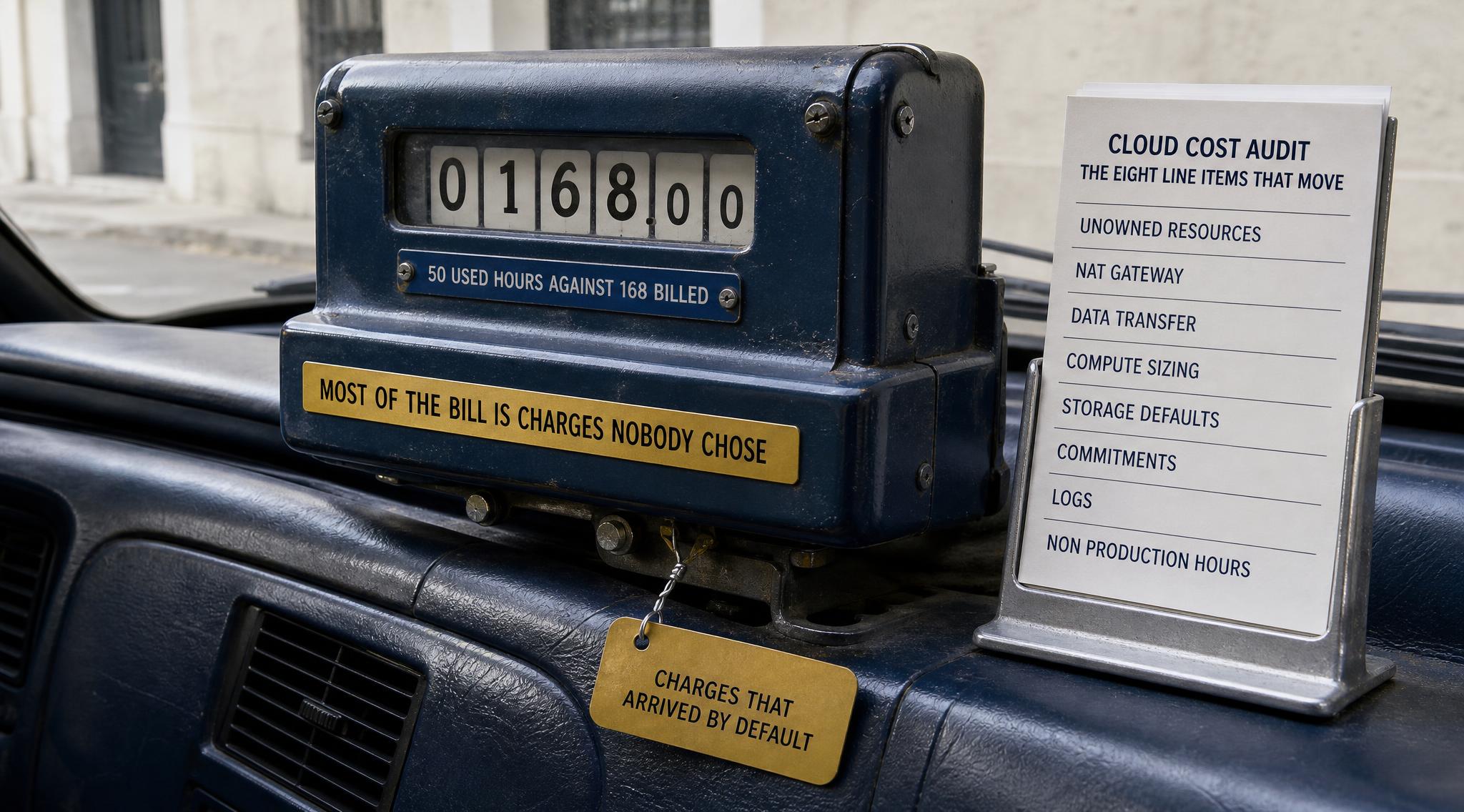
A cloud cost audit is a structured read of a billing account that ends with a short list of changes, each one carrying the money it is worth and the risk of making it. This post opens one up. It covers the eight line items that move a small team's bill, the order to read them in, how to run the first pass yourself with the provider's own free tools, and what the work costs if you hand it to somebody else.
It is written for a team of one to fifteen engineers with a bill somewhere between a few hundred and a few tens of thousands a month, and nobody whose job is to watch it. Most published advice on this subject is a list of tips. A tip tells you what is possible. An audit tells you which of those things is true of your account this month, which is a different and much shorter list.
Every list price below links to the provider's own pricing page and is quoted for us-east-1 unless stated otherwise. Judgement is labelled Practitioner opinion inline.
What is a cloud cost audit
A cloud cost audit is a one-off review of a cloud account that identifies where money is going, separates charges somebody chose from charges that arrived by default, and returns a ranked list of changes with the saving and the risk attached to each. It is not an optimisation project and it does not change anything by itself. The deliverable is a decision list, which is why it can be done in days rather than quarters.
It differs from the cost dashboard already in your console in one respect that matters: a dashboard reports what you spent, grouped the way the provider groups it. An audit asks why each group is that size, which means reading the architecture next to the invoice. That second half is the part no tool does for you, and it is where the ranked list comes from.
Two things changed recently. Providers now ship recommendation engines free, so the mechanical half of a first pass is no longer manual labour. And billing data is being standardised: the FinOps Foundation ratified version 1.4 of the FOCUS specification on 4 June 2026. Practitioner opinion: a recommender can see an idle instance and cannot see that the service it runs is being retired next quarter.
1. Resources nobody owns any more
This is the first thing to read because it is pure waste: charges with no workload behind them at all. The usual set is unattached block storage volumes, snapshots of instances that no longer exist, load balancers with no healthy targets, and idle public IP addresses.
Public IPv4 addresses are the clearest example of a charge that arrived without anybody choosing it. Since 1 February 2024 AWS bills $0.005 per IP per hour for every public IPv4 address, attached or not, across every region and service that can hold one. That is about $3.60 a month per address. One address is noise. A few dozen left behind by old environments, each attached to a stopped instance or nothing at all, is a line item.
Orphaned storage behaves the same way. An unattached volume is billed at the same $0.08 per GB-month for gp3 or $0.10 for gp2 as an attached one, and incremental snapshots are billed at $0.05 per GB-month for as long as they exist, which is usually forever because nobody is sure which one matters.
Takeaway: this section is the only one where the right action is almost always deletion, so do it first and bank the result before anything contentious.
2. NAT gateway data processing
A managed NAT gateway is the single most common surprise on a small AWS bill, because it charges twice and only one of those charges is obvious. AWS bills $0.045 per gateway-hour plus $0.045 for every GB processed through it, in either direction. The hourly charge is roughly $32 a month per gateway and is easy to find. The per-GB charge is the one that scales with traffic nobody is watching.
The architecture question worth asking is which traffic needs to leave through it at all. Private subnet workloads pulling container images, writing to object storage or calling other provider services can often reach them through a gateway or interface endpoint instead, which keeps that traffic off the NAT path. A three-availability-zone deployment with one gateway per zone pays the hourly charge three times, which is the right call for resilience and the wrong call for a development account that has no resilience requirement.
Takeaway: read the NAT gateway's processed-bytes metric before touching anything else on the network side. It tells you in one number whether this is a rounding error or the second-largest thing on your bill.
3. Internet egress and the cross zone charge
Data transfer is the line item that breaks the mental model, because it is billed on direction and distance rather than on anything a developer sees in code. Traffic out to the internet from AWS is free for the first 100 GB a month and then billed per GB on a declining scale starting at $0.09. Traffic between availability zones in the same region is billed at $0.01 per GB in each direction, so a gigabyte crossing a zone boundary and coming back costs two cents.
That second charge hides, because ordinary architecture generates it rather than users. A service in one zone talking to a database in another, or a service mesh spread for availability, is a correct design decision that bills per gigabyte forever. Last Week in AWS argues the cross-zone documentation is ambiguous enough to mislead, so trust the bill over a mental estimate.
If egress is your largest line item, per-region and per-provider rate differences matter more than any tuning: cloud egress costs across AWS, GCP and Azure works through the published rates.
Takeaway: ask for the transfer charges broken out by type before accepting any estimate of your network spend.
4. Compute nobody has resized since launch
Rightsizing is the best understood item on this list and still the most commonly skipped, because it requires somebody to accept responsibility for a performance change. Every provider now ships the analysis free. AWS Compute Optimizer reads utilisation history and returns per-resource recommendations. Google Cloud exposes equivalent idle and rightsizing findings through machine type recommendations. Azure surfaces them in Advisor, which also documents how it calculates the savings it claims.
Read the lookback window before acting on the number. Azure's reservation engine evaluates hourly usage over the past 7, 30 and 60 days. A quiet fortnight recommends a different size than a window containing a launch.
Takeaway: the recommendations are free and sitting in the console already, so the audit value here is not finding them. It is deciding which ones are safe this quarter and writing down why the others are not.
5. Storage classes and lifecycle defaults
Storage is where defaults cost money quietly, because the default is always the most expensive safe option. Two changes carry most of the value on a small account.
The first is volume type. Moving a general purpose volume from gp2 to gp3 drops the per-GB price from $0.10 to $0.08 per GB-month, a flat 20 percent, and gp3 starts at a 3,000 IOPS baseline rather than scaling IOPS with size. On a small volume that is more performance for less money, which is rare enough to check for on every account.
The second is object storage lifecycle. S3 Intelligent-Tiering moves objects between access tiers automatically for $0.0025 per 1,000 objects a month, with no monitoring charge for objects under 128 KB. The arithmetic follows the object count, not the byte count: ten million small objects cost $25 a month to monitor whether or not any of them gets colder. Practitioner opinion: free money on a bucket of large cold artefacts, a new line item on a bucket of ten million thumbnails.
Takeaway: check object counts, not just stored bytes, before enabling automatic tiering anywhere.
6. Commitment coverage
This is the largest single lever and the one with real downside, because a commitment is a contract. AWS Savings Plans trade a dollar-per-hour commitment for up to 72 percent off on-demand, the flexible Compute plan reaching up to 66 percent. Google Cloud's committed use discounts reach up to 55 percent for vCPUs and memory on most machine types. Azure publishes 1-year and 3-year savings plan recommendations per subscription with the percentage and coverage each would buy.
The audit question is not whether to commit. It is what fraction of your compute is genuinely steady. Practitioner opinion: a team that commits one month before a re-architecture has bought a discount on infrastructure it is about to stop using, and that is the one mistake here no console change reverses.
Takeaway: cover the floor you are confident about, not the average, and put the remainder on a calendar reminder rather than a contract.
7. Log ingestion and retention
Observability spend is structurally invisible: it is generated by code, billed by volume, and nobody reviews the retention setting after the day the service shipped. CloudWatch Logs bills Standard-class ingestion at $0.50 per GB for the first 10 TB a month, with storage at $0.03 per GB-month after that and queries billed per GB scanned.
There is now a cheaper class for logs you keep but rarely read. AWS launched the CloudWatch Infrequent Access log class in March 2026 at $0.25 per GB ingested, half the Standard rate, keeping Logs Insights queries and S3 export. For retention logs that exist to be searched after an incident, that halves the dominant charge.
The other half is log groups set to never expire. Retention is a per-group setting defaulting to indefinite, so a debug log written in 2024 is still being paid for.
Takeaway: list every log group with its retention and its monthly ingested volume side by side. The two columns together are the finding; neither on its own is.
8. Non production environments running a full week
A week is 168 hours. A development environment used during one team's working day is needed for about 50 of them. Everything billed by the hour in a non-production account, which means instances and managed databases above all, is therefore billed at roughly three times the hours it is used, and the fix is a schedule rather than an architecture change.
AWS packages this as a supported solution rather than a service: Instance Scheduler on AWS uses resource tags and Lambda to stop and start instances, Auto Scaling groups and databases across regions and accounts, and AWS documents up to 70 percent savings on instances only needed during business hours. The equivalents elsewhere are a scheduled function and a tag convention.
Two cautions, because they are what makes teams abandon this. Stopping an instance does not stop its storage charges, so the saving is on compute hours only. And a database that takes four minutes to return will make somebody's morning worse exactly once before the schedule is quietly disabled, so start it before the first standup, not at it.
Takeaway: schedule the development account first and leave staging alone until the pattern has survived a fortnight.
The first pass, in one day, with the provider's own tools
The eight items above are readable without buying anything. The order matters more than the speed, because step zero determines whether the rest produces attributable numbers or just totals.
- Step zero: tags, the day before. Apply a small tag set (environment, service, owner) and activate those keys as cost allocation tags. AWS documents the delay: it can take up to 24 hours for tag keys to appear and a further 24 to activate. Skip it and the pass reports totals nobody can assign.
- Morning: the mechanical half. Open the provider's recommendation surfaces and export everything they offer: rightsizing, idle resources, commitment coverage. This is the list the tools already know.
- Midday: the four hidden items. NAT gateway processed bytes, data transfer by type, log group retention next to ingested volume, and the hourly spend of every non-production resource. None appears as a recommendation, which is why they survive for years.
- Afternoon: rank and write it down. One row per change: the monthly amount, who has to approve it, and what breaks if it is wrong. Sort by amount divided by risk, not by amount.
- End of day: the three you will not do. Write those down with the reason, so next quarter starts from that list instead of rediscovering it.
Takeaway: the mechanical half takes a morning and the ranking is the deliverable. If you skip the writing down, you have browsed a dashboard rather than run an audit.
Audit, cost platform, or nothing
All three get described as cloud cost management, so here is the explicit comparison. A one-off audit is a fixed-scope read ending in a ranked decision list: bought once, it answers what is true now. A cost platform is continuous software watching spend and raising anomalies: a subscription, it answers what changed. Doing nothing is defensible below a certain bill, because every hour here is an hour not spent on the product.
The decision rule: if nobody can say which service is your largest cost centre, buy the audit, because a platform will stream that same confusion at you daily. If you already know and the question is whether last week's spike repeats, buy the platform or build the alerting, which the cloud cost anomaly detection post walks through. If a 30 percent reduction would not change any decision, do nothing on purpose and name the number you revisit at.
Practitioner opinion on price: it has to be small next to the annual spend being examined or the maths never works. MatrixGard publishes a fixed-scope Cloud Cost Audit at ₹35,000 / $3,000, and the honest version of this advice is that below roughly $2,000 a month of spend, the first pass above is a better use of a day than any invoice.
Summary table
| Line item | What to read | Published rate to check |
|---|
| Unowned resources | Unattached volumes, orphan snapshots, idle public IPs, targetless load balancers | $0.005 per IPv4 per hour; $0.05 per GB-month snapshots |
| NAT gateway | Gateway count and processed bytes per gateway | $0.045 per hour plus $0.045 per GB processed |
| Data transfer | Internet egress and cross zone volume, broken out by type | From $0.09 per GB out; $0.01 per GB per direction cross zone |
| Compute sizing | Provider rightsizing recommendations and their lookback window | Free: Compute Optimizer, Recommender, Advisor |
| Storage defaults | gp2 volumes still on gp2; object counts before tiering | $0.10 to $0.08 per GB-month; $0.0025 per 1,000 objects |
| Commitments | Steady floor as a fraction of total compute | Up to 72 percent AWS; up to 55 percent GCP vCPU and memory |
| Logs | Retention and ingested volume per log group, together | $0.50 per GB Standard; $0.25 per GB Infrequent Access |
| Non production hours | Hourly resources running outside working hours | 50 used hours against 168 billed |
Which stage are you
Pre-seed, under roughly $1,000 a month. Run sections 1, 2 and 8 yourself in an afternoon and stop. At this size the unowned resources and the schedule are most of the available money, and a commitment decision is premature because the footprint is still moving.
Seed, roughly $1,000 to $10,000 a month. The full first pass is worth a scheduled day each quarter, and this is the band where tagging stops being hygiene and becomes what makes every later answer possible. Commitments enter here, covering the floor only.
Series A, above roughly $10,000 a month. Commitment coverage and data transfer now deserve a named owner and a standing monthly slot. Practitioner opinion: this is where one external pass a year pays for itself in the questions an outsider asks, because the people who built the architecture are worst placed to see which parts now bill for nothing. What a DevSecOps retainer costs in India sets out the continuous alternative.
Where to start
If you want the first pass structured for you before spending anything, the free cloud checklist on this site walks the same ground this post does, including the four items no recommender surfaces. Open it at the checklist. For the triage version when the bill has already jumped and you need the cause today rather than the ranked list, the AWS bill triage runbook is the faster path, and reducing cloud costs at seed stage in India covers the changes themselves.
The reason to do this is not only the money. A bill nobody can explain will surprise you at the worst moment, usually the month before a raise. Explaining it once is cheap, and the explanation holds most of its value for a year.
About the author
Avinash S is the founder of MatrixGard, a fractional DevSecOps practice for early stage startups, funded or bootstrapped. He works on cloud cost, infrastructure and security posture for teams without a dedicated platform or security hire.
Methodology note
Every list price, rate and capability here comes from the provider's own pricing page, documentation or launch announcement, linked inline at the point of the claim, quoted for us-east-1 or its regional equivalent unless stated otherwise. Regional prices differ and pricing changes, so check the linked page before acting on any figure. Discipline material comes from the FinOps Foundation. One secondary source is cited where it argues about documentation clarity rather than stating a price. The MatrixGard figure is this site's published price. Judgement is labelled Practitioner opinion inline, and no client engagement or result is described anywhere in this post.