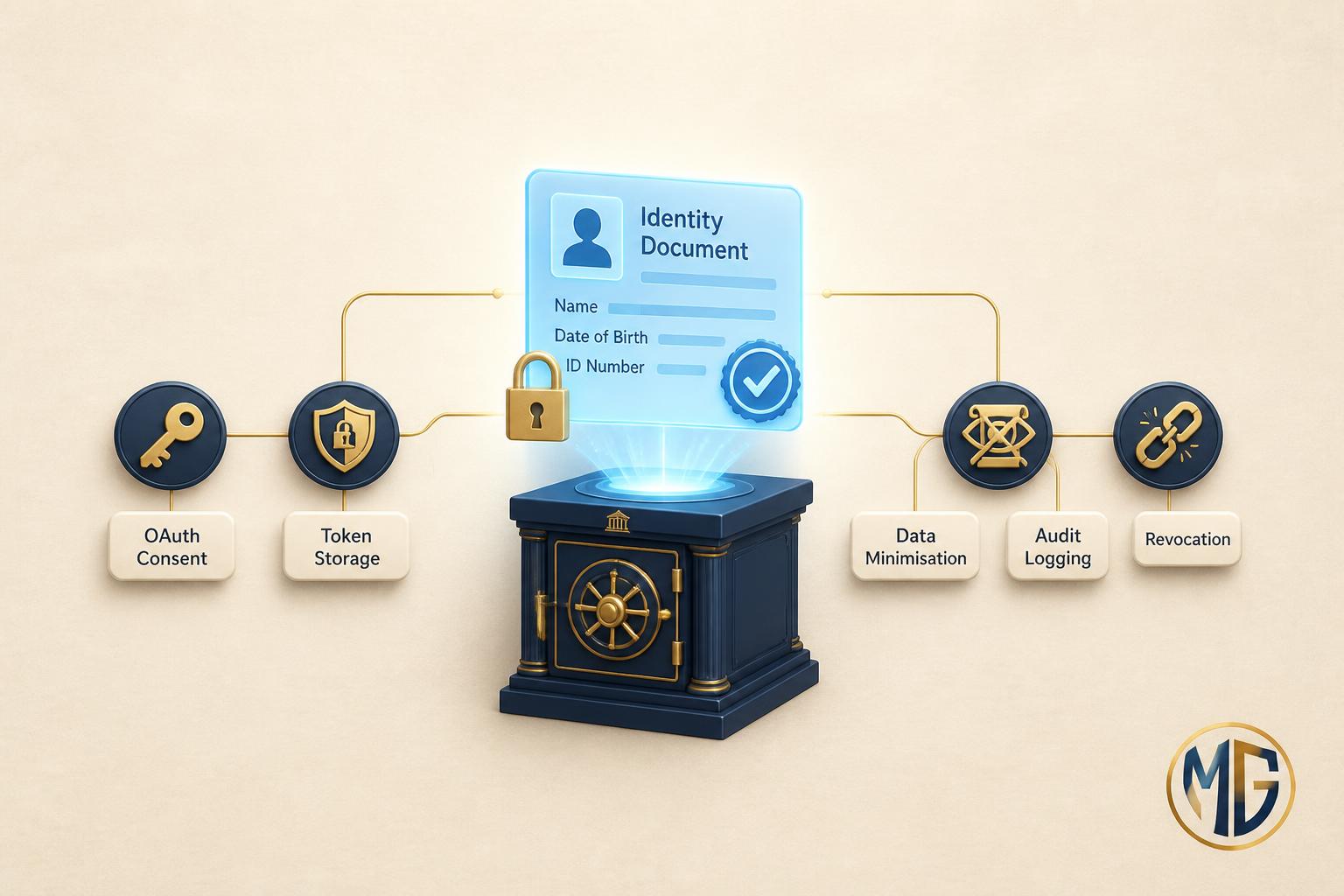
DigiLocker has quietly become load-bearing infrastructure for Indian fintech. If you onboard customers, run video KYC, or verify a PAN, a driving licence, or an Aadhaar record, there is a good chance a DigiLocker fetch sits somewhere in your flow. The Reserve Bank of India permits DigiLocker-sourced documents for KYC, and because those documents arrive digitally signed by the issuing authority, they are cleaner and harder to forge than a photographed upload.
That convenience is exactly why the integration is risky. A DigiLocker fetch pulls government-issued identity documents into your systems: name, date of birth, address, Aadhaar number, PAN. If your integration is sloppy, you are not leaking a marketing email list. You are leaking the raw material for identity theft, all of it tied back to a real person by a government-verified record.
This is not a walkthrough of how to integrate DigiLocker. The official Requester documentation and aggregator guides cover that. This is the list of five things I check first when I audit a DigiLocker integration at a pre-seed or seed fintech, the places where I most often find real security and compliance gaps. Where I state practitioner opinion rather than a documented requirement, I have labelled it inline.
Quick context: how a DigiLocker integration actually works
DigiLocker exposes its data through API Setu, the government data-exchange layer that connects document Issuers (UIDAI, Income Tax Department, transport authorities) with Requesters (you, the fintech consuming the document). To become a Requester you register a project on the Authorised Partner portal, receive an OAuth 2.0 client ID and client secret, and configure a redirect URI. Many startups do not integrate directly at all: they go through an aggregator such as Setu, Signzy, or Digio, which wraps the government APIs behind a friendlier interface.
Either way, the shape is the same. Your application sends the user to a DigiLocker consent screen, the user authenticates and approves access to specific documents, DigiLocker redirects back with an authorization code, you exchange that code for a token, and you then fetch the signed document. The five checkpoints below map to the five places where that flow most commonly goes wrong. Whether you integrate directly or through an aggregator, you own the security of everything downstream of the fetch.
Checkpoint 1: Consent-flow integrity, not just a working redirect
DigiLocker uses OAuth 2.0 with OpenID Connect on top, as described in the Setu integration docs and the Authorised Partner specification. The most common failure I see is a consent flow that works but is not secured against the classic OAuth attacks, because the team tested for "does the document come back" and stopped there.
Three specific gaps recur. First, the state parameter is either missing or not verified on the callback, which leaves the flow open to cross-site request forgery: an attacker can stitch their own authorization code onto a victim's session. Second, the redirect URI registered on the partner portal is too permissive (a wildcard, or an http localhost entry left in for testing that shipped to production), which turns the redirect into an open door. Third, the authorization code is not treated as single-use and short-lived on your side, so a leaked code in a log or referrer header stays exploitable.
What passing looks like: a cryptographically random state generated per request, stored server-side or in a signed cookie, and strictly compared on callback. Exact-match redirect URIs registered on the portal, HTTPS only, with every test entry removed. Authorization codes exchanged immediately and never logged. If your provider supports PKCE, use it. Takeaway: a consent flow that returns a document is table stakes; a consent flow that resists a forged callback is the actual bar.
Checkpoint 2: Client secret and token storage
Your DigiLocker client secret is the credential that lets your backend act as your organisation against the Requester APIs. The access and refresh tokens minted during a consent flow are scoped to a user's documents. Both are high-value secrets, and both are routinely mishandled at early-stage startups.
The patterns I find: the client secret hardcoded in a repository (sometimes a public one), baked into a mobile app bundle where any user can extract it, or sitting in a plaintext environment file on a shared server. Tokens get logged in full during debugging and never scrubbed, or cached in a store that has no encryption and no expiry. Because the DigiLocker flow feels like "just another OAuth", teams apply the same casual handling they might use for a social login, forgetting that the payload here is a government identity record.
What passing looks like: the client secret lives in a secrets manager (AWS Secrets Manager, GCP Secret Manager, HashiCorp Vault), injected at runtime, never committed and never shipped in a client-side bundle. The exchange happens only on your backend, never in the browser or app. Tokens are encrypted at rest, given a short lifetime, and excluded from every log sink by a redaction filter. Rotate the client secret on any suspected exposure and on staff departure. Takeaway: treat the DigiLocker secret with the same rigour as your payment-gateway keys, because a leak here is arguably worse.
Checkpoint 3: Data minimisation and purpose limitation
DigiLocker lets the user consent at the document or scope level, so you request only what you need. The security failure is not technical here, it is architectural greed: teams request the widest scope they can, fetch the full document, and persist the entire payload forever, because storage is cheap and "we might need it later". That instinct is now a direct liability under India's Digital Personal Data Protection Act, 2023, which codifies purpose limitation and data minimisation as legal duties, not best practices.
The concrete anti-pattern: a lending app that needs to confirm a name and PAN for underwriting ends up storing the applicant's full Aadhaar XML, address history, and photograph in its primary database, indefinitely, with no field-level access control. Every one of those extra fields is now data you must protect, disclose in a breach, and delete on request, for no business reason.
What passing looks like: request the narrowest scope that satisfies the use case. Extract and persist only the specific fields you need (the verification result, a masked identifier, the fields that feed a business decision), and discard the rest of the payload once verification completes. Set an explicit retention period and enforce deletion with a scheduled job, not a manual promise. Takeaway: every identity field you store is a liability you carry; the cheapest field to secure is the one you never kept.
Checkpoint 4: Verifying the digital signature on fetched documents
The reason a DigiLocker document is trustworthy is that the issuing authority signs it. An Aadhaar offline e-KYC XML, for example, is digitally signed by UIDAI, and UIDAI publishes its public key precisely so that any relying party can validate that the file has not been altered. The trust is in the signature, not in the fact that the bytes arrived over an API call.
The gap I see: teams treat a successful fetch as proof of authenticity and skip signature validation entirely. This is most dangerous in offline or user-mediated flows, where an Aadhaar XML or a QR-code payload is uploaded or passed through the client. If you never verify the issuer's signature, a tampered or wholly fabricated file can sail straight into your KYC record, and you will have onboarded a fraudster while believing you did government-grade verification.
What passing looks like: for any signed artefact you receive (offline Aadhaar XML, signed PDFs, QR payloads), validate the issuer's digital signature against the published public key before you trust a single field. Confirm the certificate chain, check the signing timestamp against the freshness window the regulator requires, and reject anything that fails. For aggregator-mediated flows, get written confirmation of exactly which validations the aggregator performs so you know what remains your responsibility. Takeaway: the API call proves delivery; only the signature proves the document is real.
Checkpoint 5: Audit logging, consent artefacts, and revocation
DigiLocker gives the user the right to revoke access, and consent is meant to be specific, informed, and withdrawable. Under the DPDP Act, the Data Principal (the user) has the right to withdraw consent and request erasure, and you as the Data Fiduciary must be able to honour it. Two failures cluster here.
First, no consent audit trail. When a regulator or the user asks "what did this person consent to, when, and for what purpose", the team cannot answer because the consent artefact was never persisted as an immutable record. Second, no working revocation or erasure path: the app can grant access but has no mechanism to purge the fetched data when consent is withdrawn, so revocation is theatre while the identity documents sit untouched in the database.
What passing looks like: log every DigiLocker interaction (consent granted, scope requested, document fetched, purpose recorded, who accessed it internally) to an append-only, tamper-evident audit store, separate from your application logs and access-controlled. Build a concrete revocation-and-erasure workflow that, on withdrawal, deletes the associated identity data and records that it did so. Test it before you need it. Takeaway: consent you cannot prove and cannot revoke is a compliance finding waiting to happen.
Why this is now legally load-bearing, not just good hygiene
Until recently, sloppy identity-data handling in India carried mostly reputational risk. That has changed. The DPDP Act, 2023 establishes enforceable obligations for anyone processing personal data of Indian residents, with a Data Protection Board empowered to levy significant financial penalties for breaches and for failures of the security-safeguard and purpose-limitation duties. Aadhaar data carries additional obligations under the Aadhaar Act and UIDAI regulations. For an RBI-regulated entity or its technology partner, a mishandled DigiLocker integration can now trigger data-protection penalties, regulatory scrutiny, and contractual liability with the banking partner all at once.
Practitioner opinion: the pre-seed teams that will struggle are the ones treating DigiLocker as a feature they shipped and forgot. It is not a feature, it is a regulated data-processing pipeline, and it needs the same ongoing ownership as your payments stack.
The honest summary table
| Audit checkpoint | Most common failure | Typical fix effort |
|---|
| Consent-flow integrity (OAuth) | Missing state check, permissive redirect URI | 2-4 days |
| Secret and token storage | Secret in repo or app bundle, tokens in logs | 3-5 days |
| Data minimisation | Storing full payload forever, widest scope | 1-2 weeks (schema + retention job) |
| Signature verification | Trusting the fetch, never validating the signature | 3-5 days |
| Audit logging and revocation | No consent artefact, no erasure path | 1-2 weeks |
Stage-specific recommendation
If you are pre-seed and about to ship your first DigiLocker flow: get Checkpoints 1, 2, and 4 right before launch (consent-flow integrity, secret handling, signature verification), because those are the ones that let a fraudster or an attacker in, and they are cheap to do correctly at day one and expensive to retrofit. Use an established aggregator rather than integrating the raw government APIs yourself, and read their docs to learn exactly which validations they own versus which stay yours.
If you are seed-stage with a live integration and real users: your highest-priority gaps are usually Checkpoints 3 and 5 (data minimisation and the consent-and-revocation trail), because by now you have accumulated a database full of identity data you did not need to keep, with no erasure path. Run a data-flow map: what you fetch, what you store, for how long, and who can read it. That map is also the artefact your banking partner and any DPDP audit will ask for.
If you are the technology partner for an RBI-regulated entity: the contractual and regulatory liability flows to you. Make the consent audit trail and signature validation non-negotiable, and get written clarity on the division of responsibility between you, the aggregator, and the regulated entity, in writing, before an incident forces the question.
The trap: treating an aggregator as a security guarantee
The most common mistaken assumption I hear is "we use Setu / Signzy / Digio, so security is handled". An aggregator secures the transport and often performs signature validation on the documents it fetches, and that is genuinely valuable. But the aggregator does not control your redirect URI hygiene, your secret storage, what you do with the data after it lands, your retention policy, or your revocation path. Everything downstream of the fetch is yours. The aggregator narrows your integration surface; it does not absolve you of the five checkpoints above.
Want a second opinion on your DigiLocker or KYC data flow?
MatrixGard runs a free 20-minute review of your identity-data pipeline for early-stage Indian fintech founders: your consent flow, your secret and token handling, where identity data lands and how long it lives, and your most likely gaps against the checkpoints above. An honest read in 20 minutes, no NDA required for the first conversation. Send a note.
Avinash S is the founder of MatrixGard. Fractional DevSecOps for early-stage startups, funded or bootstrapped across India, the GCC, the UK, and the US. Almost a decade of building, breaking, and securing cloud infrastructure for fintech, healthtech, and SaaS workloads.
Methodology note. Technical details of the DigiLocker Requester flow are drawn from the official DigiLocker Requester documentation, the API Setu DigiLocker portal, and a public aggregator's integration guide. Aadhaar offline e-KYC and signature-validation details reference the UIDAI paperless offline e-KYC documentation. Data-protection obligations reference the Digital Personal Data Protection Act, 2023. The "most common failure" and fix-effort columns are practitioner observations, not published statistics; actual effort varies with architecture and team maturity. This article is engineering and security guidance, not legal advice; consult qualified counsel for your specific DPDP and RBI obligations.